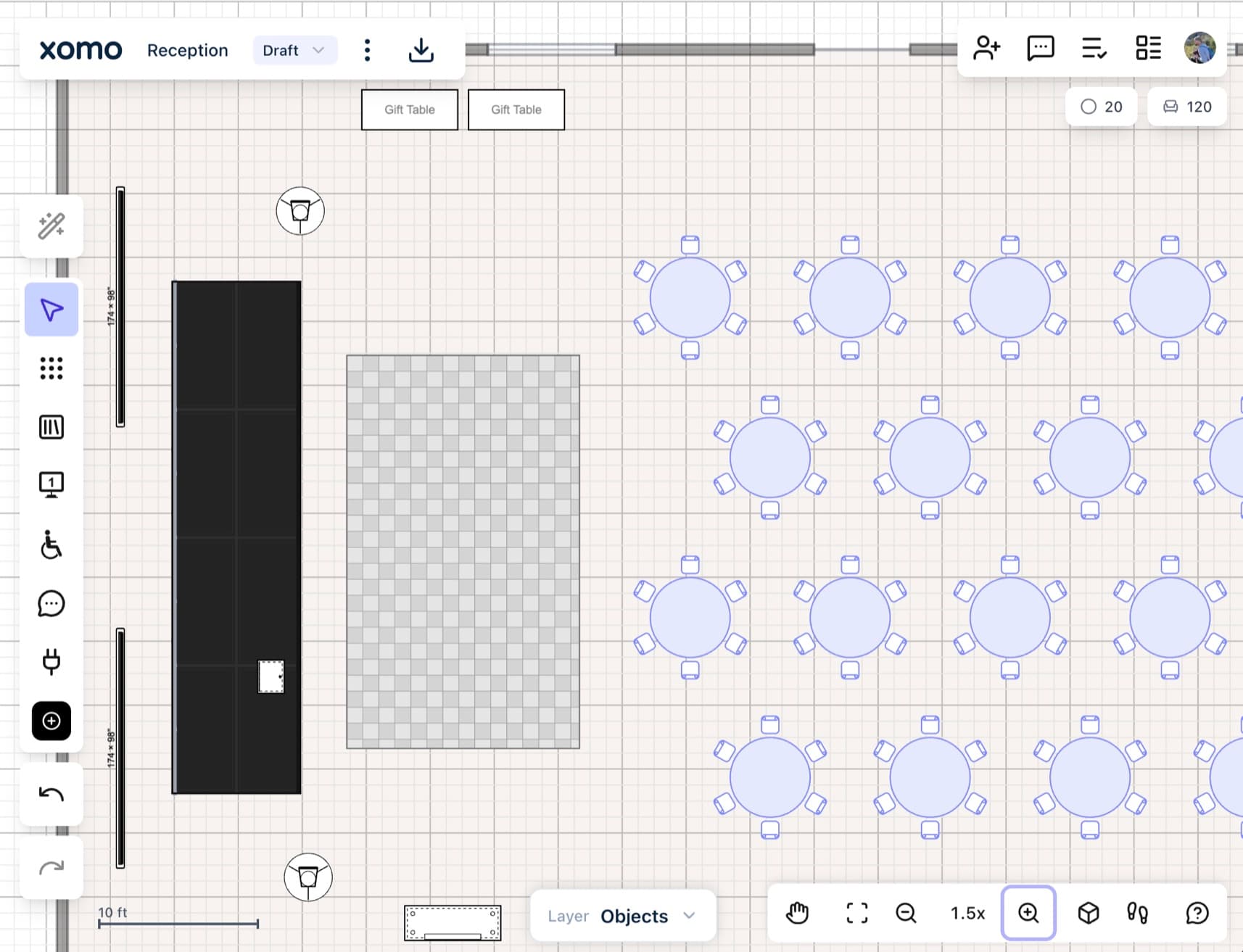
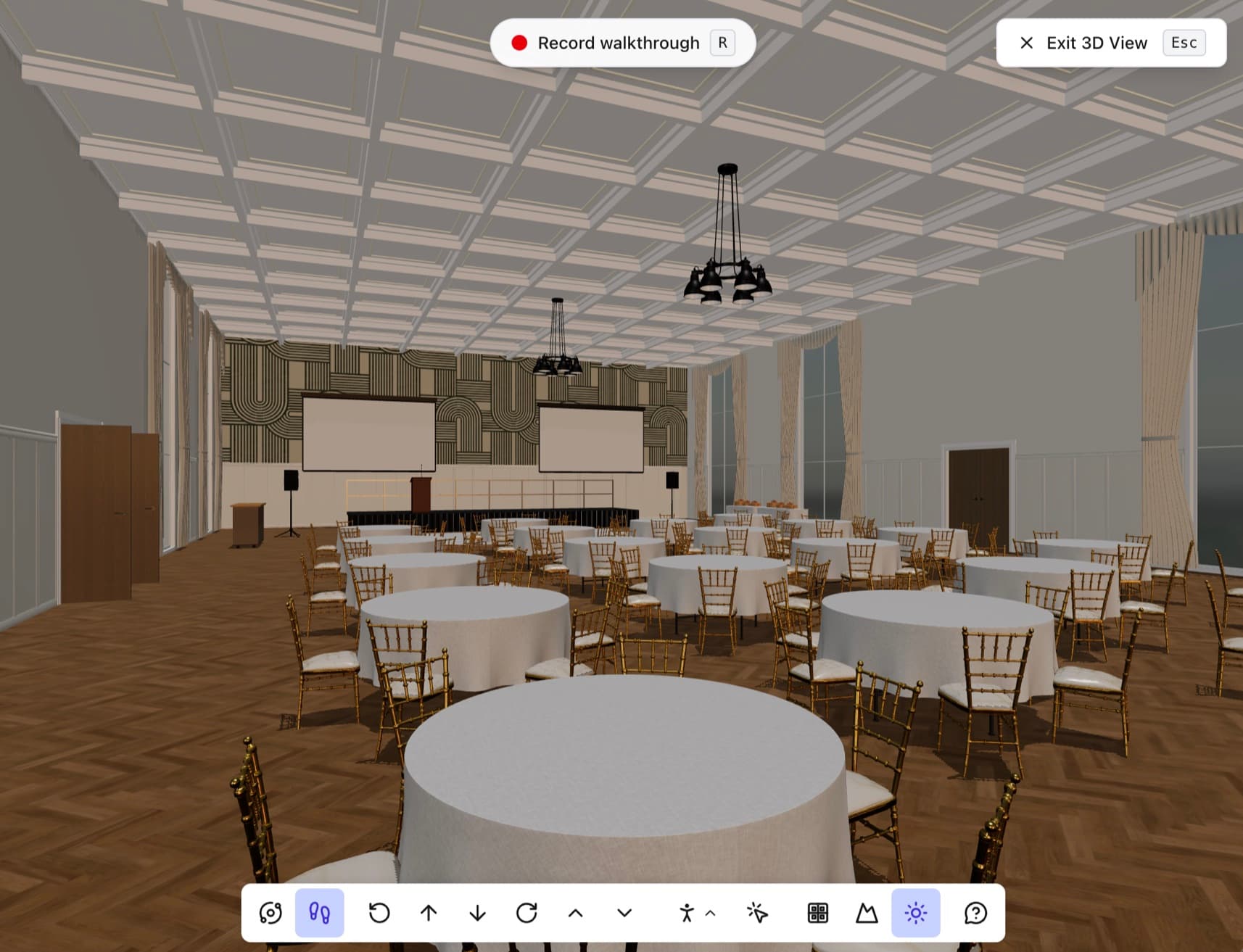
Planners browse your rooms. You get the lead.
Interactive floorplans on your own website, always current, no account to look. A planner who finds the room that fits starts their event in it, and your sales team gets a lead that already knows your space, in the CRM they already use.
Included on the Venue plan
The question is always "will it fit?" Let the floorplan answer it.
Your website already gets the traffic. Today it answers the only question a planner has with a PDF, a photo and a phone call. Put the live floorplan there and the planners who write to you already know your room works.
Browse
The building map shows every space on the floor. A planner clicks the room they have in mind and its floorplan opens right there on your site. No account, no form, no PDF to download.
Check
They pan, zoom and see the real dimensions. The room that fits a 180-guest reception is obvious, and so is the one that doesn't. The planners who leave at this step were never going to book.
Keep
The one who stays clicks Use diagram, signs in and starts their event on your actual floorplan. That sign-in is your lead: a planner with a date, a head count and your room already drawn.
Every enquiry arrives with a room, a date and a head count
Every room in your embed carries a Use diagram button. A planner who clicks it signs in and starts their event on your floorplan, in their own account. That is the moment a visitor becomes a lead, and it tells you more than a contact form ever has: which room, for when, for how many.
- Looking is free. Keeping a room takes a sign-in, so the moment a planner clicks Use diagram you have their name, their email and the room they chose.
- The lead carries what the enquiry usually leaves out: the event date, the guest count and the space they picked, straight from the plan they started.
- Their event is drawn on your floorplan, in their own account. Your originals never change, and you don't have to send a drawing before the first call.
- No lead form stands between a planner and the room. The floorplan is the form.
Straight into the software your sales team already lives in
A lead from your website is only useful where your team works it. Connect your sales and catering platform or CRM once and every planner who starts an event from your floorplans lands there as a new enquiry, with the room, the date and the head count already on the record.
- Contact
- Amelia Torres · Torres & Co. Events
- amelia@torresevents.co
- Space
- Grand Ballroom
- Event date
- Sat, Jun 13, 2027
- Guest count
- 180
- Source
- Website floorplan · Event spaces page
Lands in your pipeline
A planner who starts an event from your website shows up as a new enquiry in the sales software your team already works in, not in a separate inbox to check.
Filled in before you open it
Contact, company, the room, the event date and the head count arrive on the record. Your coordinator opens it and starts the proposal.
Works with what you run
HubSpot for the CRM, set up in a minute from Settings. Anything else takes the lead through a webhook: a signed payload your developer points wherever it needs to go.
Know which rooms sell
Every lead is tagged with the floorplan it came from, so you can see which spaces draw enquiries from your website and which page they were on.
Planners find the right room before they ever call
A long gallery of rooms makes a planner scroll and guess. A building map shows the whole floor at once, so they click the space that fits and reach your team already knowing where their event goes.
- Fewer wrong-room enquiries: a planner sees where each space sits and what is next door before they write.
- A ballroom that divides sells as three spaces, not one, picked from a short list.
- Several floors read the way they are walked, so finding a room online feels like a site visit.
Looks like your website. Set up in an afternoon, maintained never.
Turn on Embedded diagrams, pick one floorplan or the whole gallery, set a size and copy the code. The preview beside the settings is the real embed, so what you check there is what a visitor gets. From then on the plan on your site is the plan in your editor.
- Your logo and your two brand colors on the whole embed, from the hotspots to the Use diagram button. The Xomo mark comes off.
- Each venue can carry its own logo and colors, so every property in a group embeds on its own website looking like itself, while the group's brand fills in anything a venue leaves unset.
- Always the current floorplan. Move a wall in the editor and your website shows it, with no screenshot to replace.
- A standard iframe, so it works in Squarespace, Wix, WordPress, Webflow or anything else with a custom HTML block.
- One switch turns every embed off at once, and your venue doesn't need to be in the library or have a share link for embeds to work.
<iframe src="https://app.xomo.com/embed/venue/grandview" width="800" height="600" style="border:0;" title="Venue floorplans" allowfullscreen></iframe>
Draw the room once. Meet planners wherever they're looking.
The same floorplans, published once, reach planners on your site, planners searching inside Xomo and the one client you send a link to. Each channel ends the same way: a planner starting their event in your room.
Website embed
Planners already on your site
Interactive rooms on your own pages, no account to look. The lead comes to you.
This pageVenue Library
Planners searching in Xomo
List your venue where planners go looking for a space, filtered by capacity and amenities.
See the Venue LibraryPrivate link
One client or partner
Share the whole venue, view-only, with specific people without listing it anywhere.
See sharingSharing an event rather than a venue? An event plan goes on any web page with one script tag, and sizes itself to fit. Embed an event plan
Design every event. Showcase every space.
Whether you're planning the event or managing the venue, design to-scale floorplans and events with ease, and align everyone before the doors open.